JustClock for GoLand – Automatic Work Time Tracking for Go Developers
Automatic Work Time Tracking for GoLand.
JustClock tracks the hours you spend on Go projects in GoLand — backend services, APIs and cloud-native code — automatically, without breaking your flow.
Time is captured per project and sent in minute-level intervals, so a crash, restart or forgotten timer never means lost hours.
Built for Go and Cloud-Native Teams
- Tracks time separately for every module in multi-service repos
- Works the same for plain Go, gRPC services or Kubernetes-adjacent tooling
- Useful for backend teams billing per microservice or per client
- No impact on build or compile times
The same plugin also works in CLion and Rider — see the full JetBrains family overview.
Secure by design. Non-intrusive by default.
We understand that security is paramount inside your development environment. JustClock measures time — never your work.
Data we collect
- Project name / identifier
- Active time spent in IDE
- User account identifier
What we never touch
- Your code or file contents
- Keystrokes or sensitive input
- Any other personal data
For full details, please refer to our Privacy Policy.
How to Set Up Your GoLand IDE & API Key
Install the plugin from the JetBrains Marketplace.
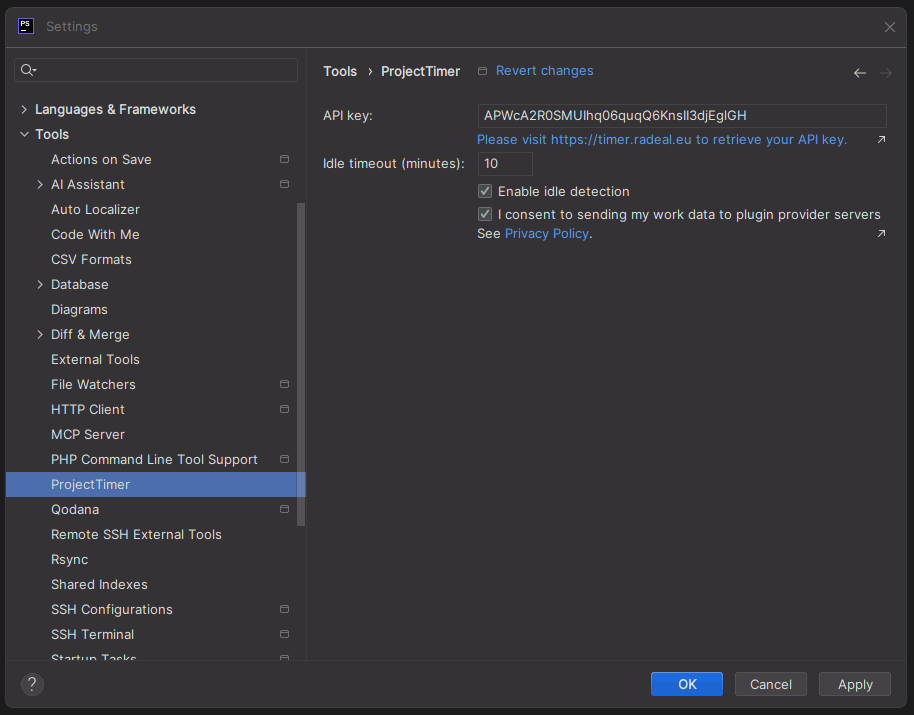
Go to Settings > Tools > JustClock.
Get your API key from our website.
Paste the key and hit "OK".